Know the moment an AI agent needs you
Every Claude Code, Codex and Cursor session reports in: working, waiting for your input, or done. The AI tile shows Claude's five-hour usage as a ring.
Working, needs input, done
Every session across your projects, with when it last changed.
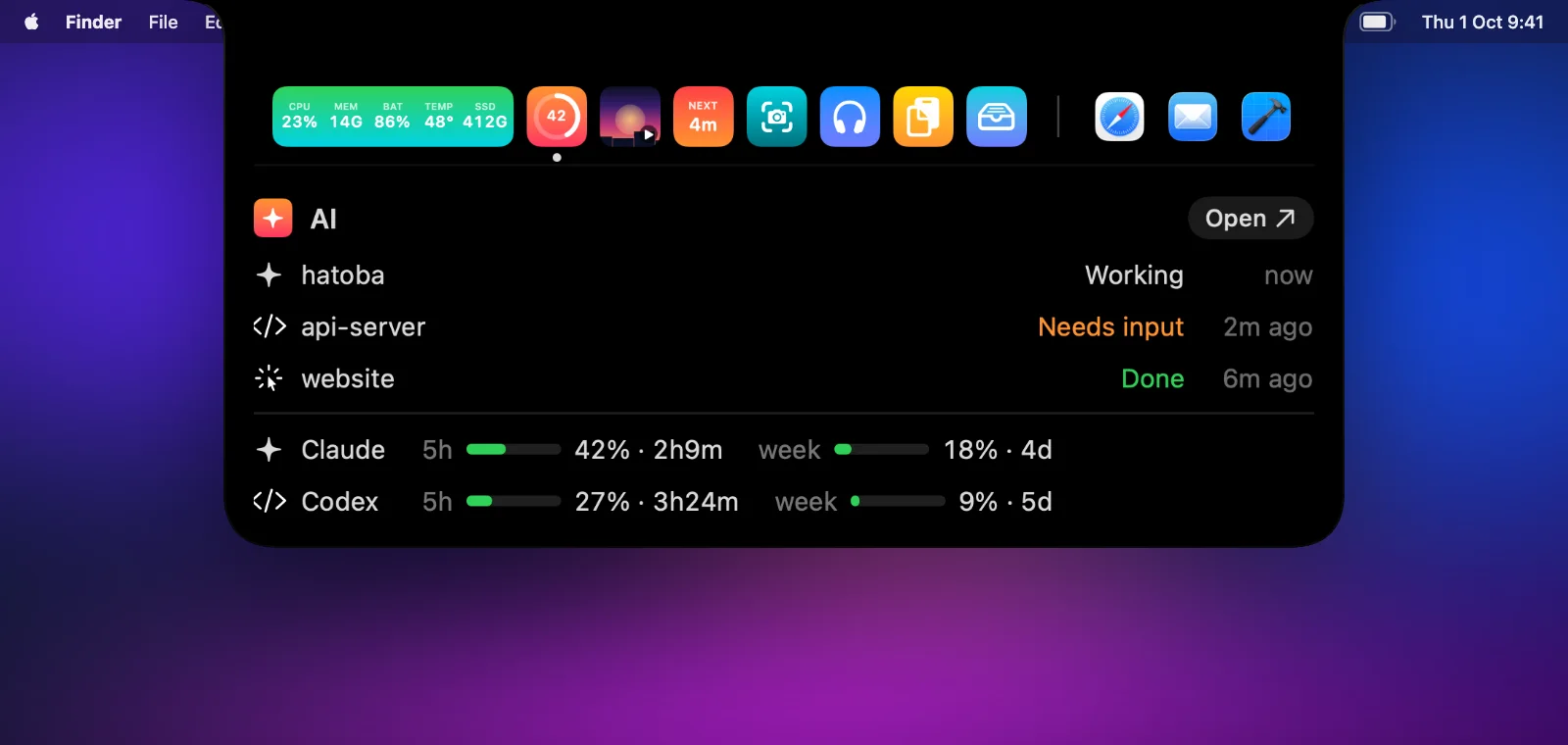
Usage limits
Claude Code and Codex usage limits, five-hour and weekly, with the time until they reset.
Local hooks, no prompts or code
AI agent activity (Claude Code, Codex, Cursor) is read from small local hooks Hatoba adds to those tools' settings, with a backup of each file. Only session ids, folder names and event names are read, never your prompts or code. Turning the feature off removes the hooks.
Turning it off and uninstalling
If you turned on AI agent activity or usage limits, turn them off in Settings first, so Hatoba removes its hooks. Then quit Hatoba and move it to the Trash.
Activity keeps working without a license
Stats with the apps list, AI agent activity, live activities, the HUD, gestures and haptics, the appearance options, and window snapping with the built-in zones. A license unlocks the rest, and everything comes back as you left it when you activate.
Common questions
- What keeps working without a license?
- Stats with the apps list, AI agent activity, live activities, the HUD, gestures and haptics, the appearance options, and window snapping with the built-in zones. A license unlocks the rest, and everything comes back as you left it when you activate.
- Which Macs are supported?
- macOS 15 Sequoia and later, on Apple silicon and Intel. You don't need a notch: the dock works on any screen, and notch mode shows a pill on displays without one.
- Does it collect my data?
- No. There's no account and no tracking in the app. Your layout, clipboard, captures, notes and files stay on your Mac. With its update check, Hatoba shares a few anonymous usage statistics, such as the macOS version and which widgets are on, and you can turn that off in Settings. The agent hooks read session names and states, never your prompts or code.
- How do I uninstall it?
- If you turned on AI agent activity or usage limits, turn them off in Settings first, so Hatoba removes its hooks. Then quit Hatoba and move it to the Trash.
AI agents in the second dock · Support
Download free trial